Ready to transform your online meetings from yawn-fests into engagement extravaganzas? R-Link's Interactive Webpage Popper is about to become your new best friend in the virtual meeting world. Let's dive into how this game-changing tool can skyrocket your sales and keep your audience glued to their screens!
What's This R-Link Interactive Webpage Popper Wizardry All About?
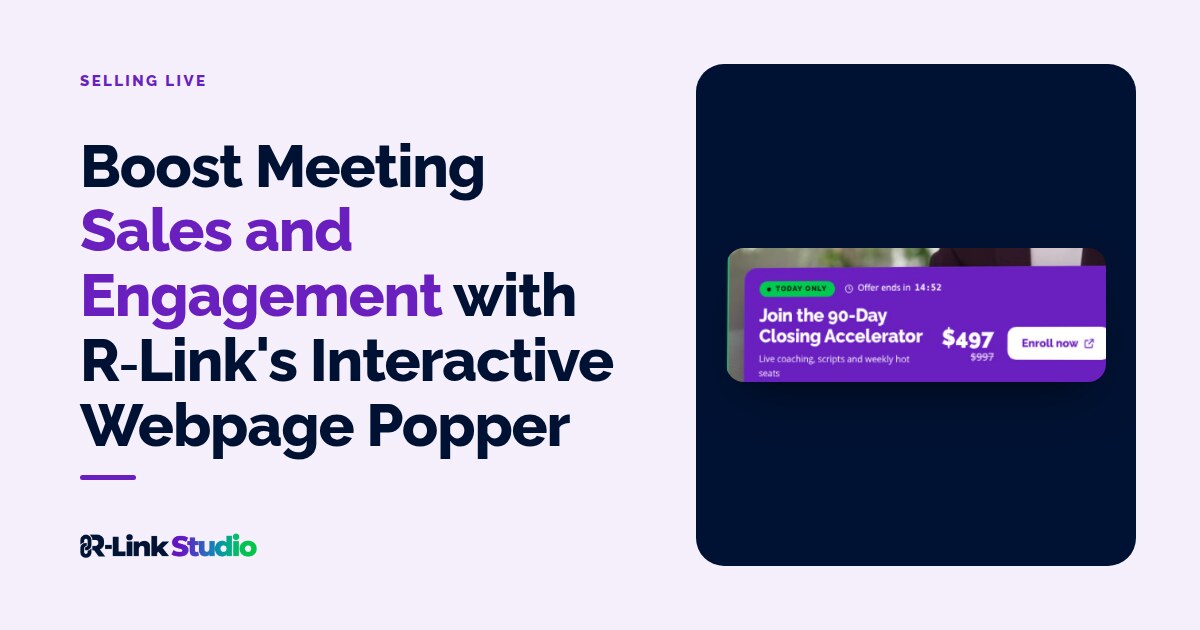
Imagine hosting a meeting where you can instantly share live web content, without the dreaded "Can you see my screen?" dance. That's the magic of R-Link's Interactive Webpage Popper. It's like bringing the entire internet to your meeting room – talk about a power move!
Features That'll Make Your Wallet and Audience Happy
- Live webpage sharing (because static is so 2010)
- Secure form filling (data protection on steroids)
- Customizable display options (size matters, folks)
Setting Up Your R-Link Interactive Webpage Popper: A Piece of Cake
Ready to flex those tech muscles? Here's your step-by-step guide to webpage popping greatness:
In R-Link Studio, the Interactive Webpage Popper is the Web Overlay element. Here's how to set one up:
- Log into your R-Link room (your digital playground awaits!)
- Spot the Elements icon on the left? Click it like it owes you money
- Choose a folder (organization is the new black)
- Hit Add Element (it's element o'clock!)
- Select Web Overlay from the menu (drum roll, please)
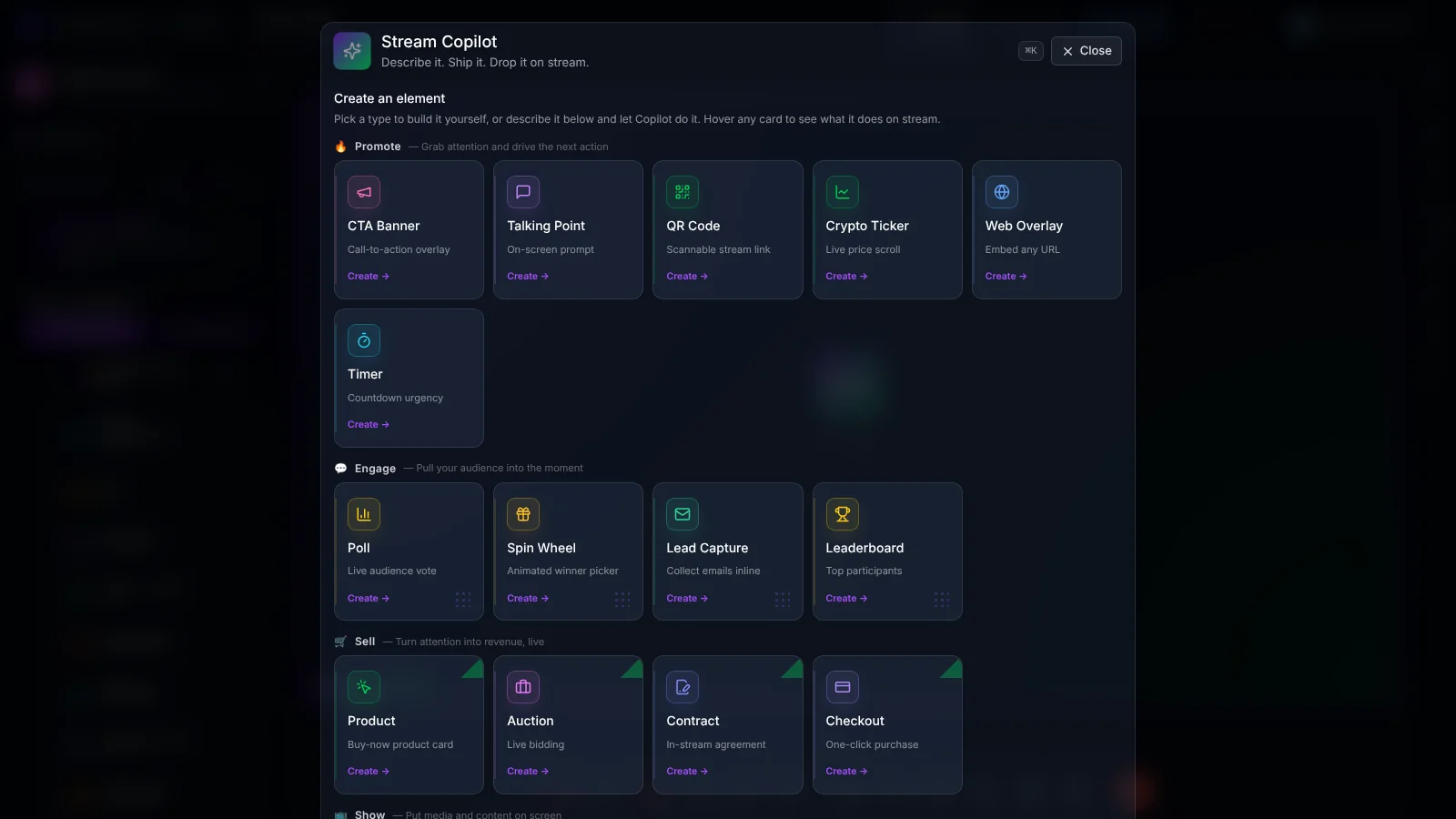
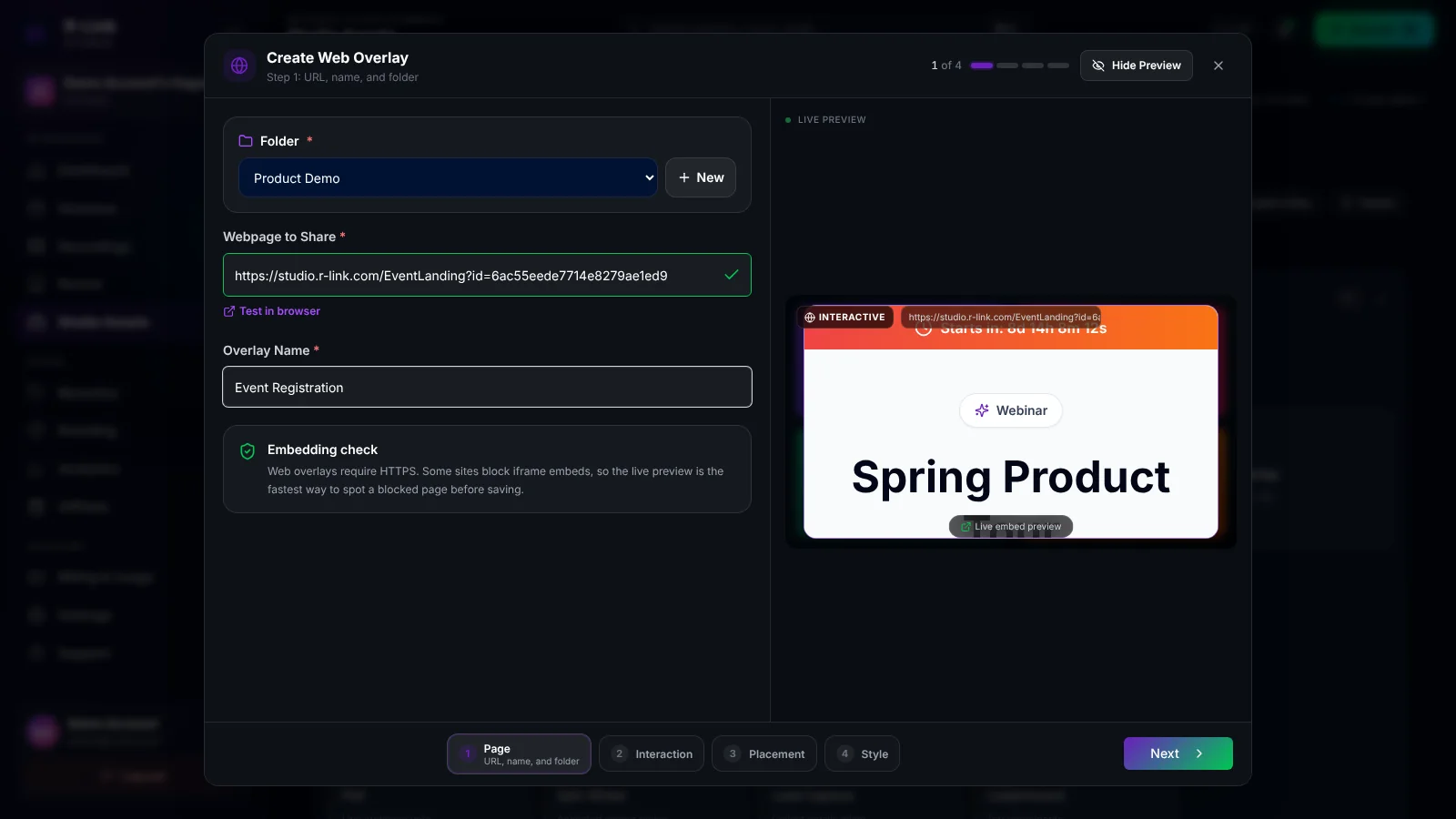
- Time to make it yours:
- Enter that URL (it needs to start with https://)
- Give it a catchy name (get creative!)
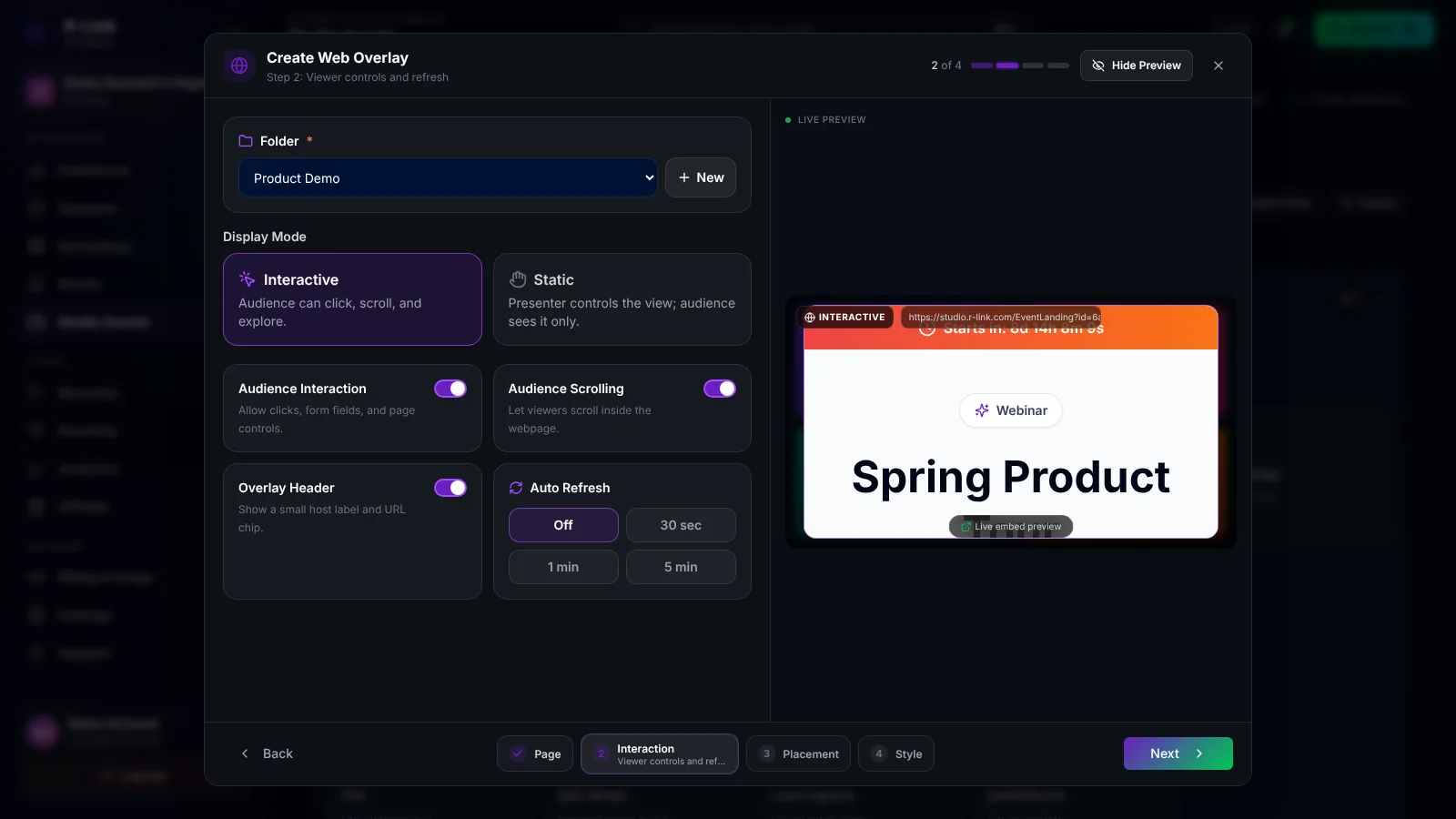
- Pick your display style (go big or go home):
- Interactive lets attendees click, scroll and fill in forms
- Static keeps you in control of what everyone sees
- Then choose the position, size and frame, and click Create Overlay
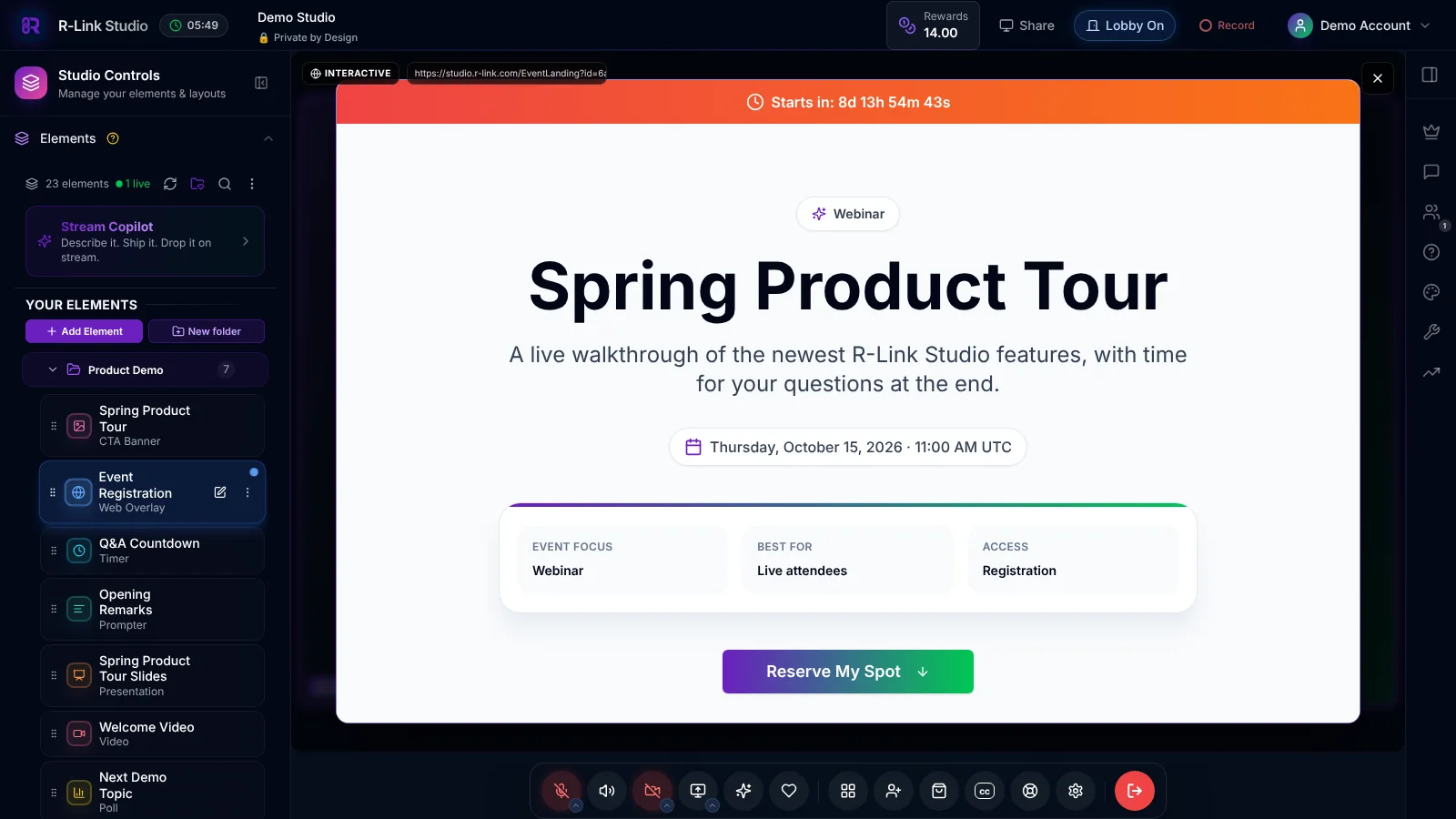
During your event, click the overlay in your Elements panel to pop the page onto the stage, and click it again to hide it.
Supercharge Your Meetings: R-Link Interactive Webpage Popper in Action
Sales Superstars: Turn Meetings into Money Machines
- Transform your R-Link room into a virtual shopping mall
- Showcase products that'll have wallets opening faster than you can say "cha-ching"
- Enable smooth checkouts right within your meeting
Engagement Gurus: Keep Your Audience Hooked
- Launch surveys that'll have participants spilling the tea
- Grow your email list with irresistible opt-in forms
- Enable event sign-ups quicker than a New York minute
Coaching Champions: Interactive Learning Made Easy
- Share websites seamlessly for group exploration
- Gather instant feedback (because who has time to wait?)
- Simplify course registrations with in-meeting forms
Event Wizards: Create Unforgettable Virtual Experiences
- Keep wandering minds focused with interactive content
- Provide safe, curated web browsing for your audience
- Say goodbye to the "new tab, who dis?" syndrome
Pro Tips: Mastering the R-Link Interactive Webpage Popper
- Test your pages beforehand (avoid those awkward digital tumbleweeds)
- Use clear, snappy names for your poppers (clarity is king)
- Choose your display size wisely (it's not just what you share, but how you share it)
- Prep your attendees (surprises are for birthdays, not business meetings)
- Follow up like a pro (because the meeting is just the beginning)
Ready to revolutionize your R-Link meetings? It's time to unleash the power of the Interactive Webpage Popper and watch your sales and engagement soar to new heights![CTA] Log in to your R-Link account now and start popping those webpages like a pro!
Check out our comprehensive guide to R-Link features for more ways to supercharge your online meetings.
New to R-Link? Learn how to set up your first meeting in minutes!
Discover why interactive content is crucial for online engagement according to recent studies.
Remember, with R-Link's Interactive Webpage Popper, you're not just hosting a meeting – you're creating an immersive, sales-boosting experience that'll have your competitors green with envy. Now go forth and conquer the virtual world, you meeting maestro!

We build R-Link Studio, the video platform for meetings, webinars and live streams that sell. Questions about this article? Talk to our team.